

Publish to iOS
App Store with kasy ios on a Mac, or kasy codemagic in the cloud (no Mac).
You have two ways to publish to iOS:
Mac (kasy ios) | Cloud (kasy codemagic) | |
|---|---|---|
| Requirement | Mac with Xcode + Apple Developer account | Codemagic account + Apple Developer account |
| Setup | kasy ios configure (once) | kasy codemagic configure (once) |
| Publish | kasy ios release | kasy codemagic release --ios |
Implementation
Publishing with kasy ios (Mac)
Requirements:
- Mac with Xcode installed
- Apple Developer account (USD $99/year)
- An app created in App Store Connect with the same Bundle ID as your project
1. Configure once
kasy ios configureThe wizard opens Apple's pages, asks for:
- Key ID: Identifiers → Keys → your API key
- Issuer ID: Users and Access → Integrations → App Store Connect API
- .p8: the key file you downloaded
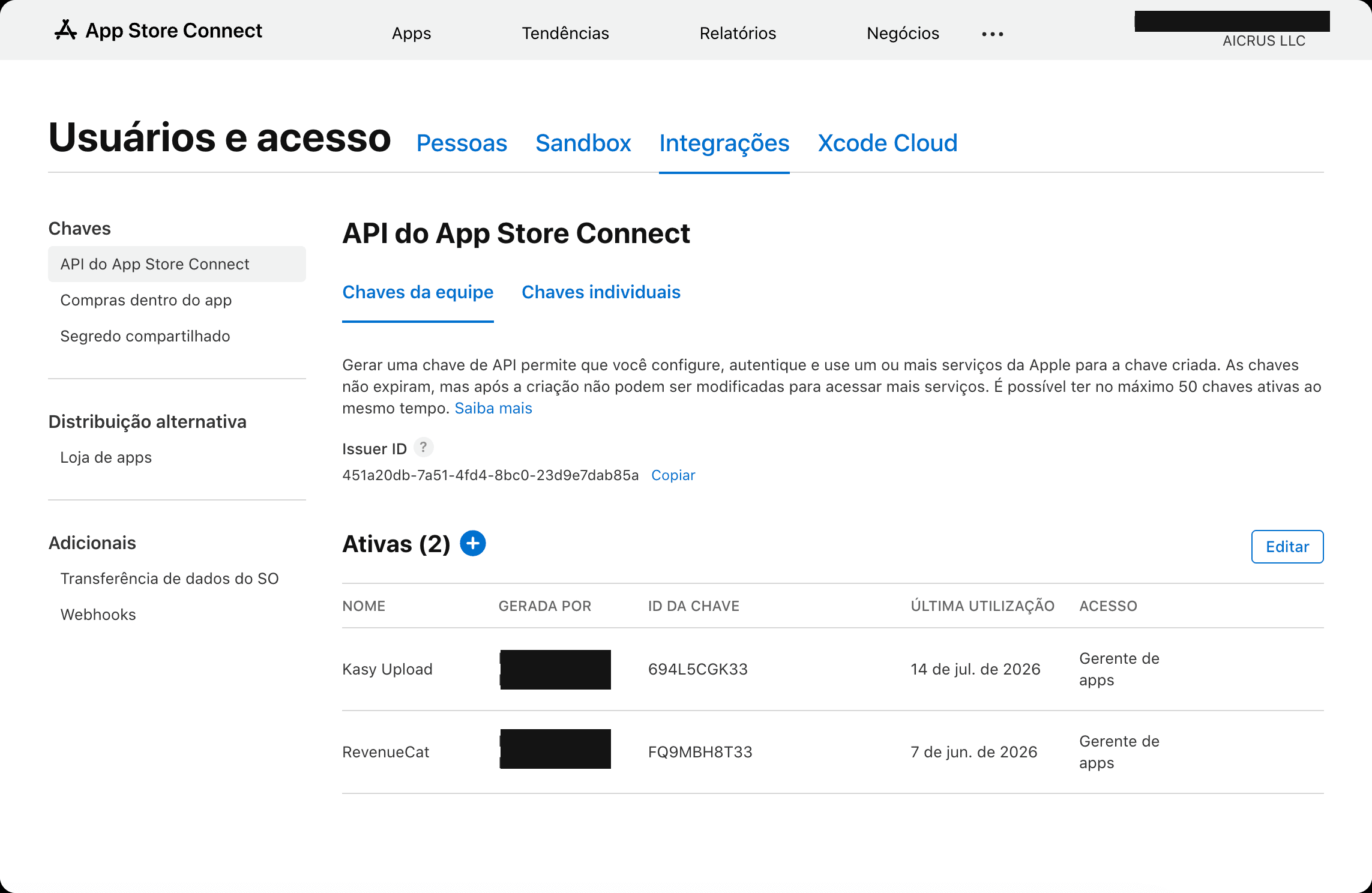
Everything is saved to .kasy/apple.env (doesn't go to Git).
Via MCP: once you have the Key ID, Issuer ID and .p8 file, ask your assistant "set up iOS signing", it runs configure_ios_signing for you. See Kasy MCP.
2. Sign in Xcode (once)
The Kasy template removes DEVELOPMENT_TEAM so you can use your own Apple account.
- Open
ios/Runner.xcworkspacein Xcode - Target Runner → Signing & Capabilities
- Check Automatically manage signing
- Select your Team
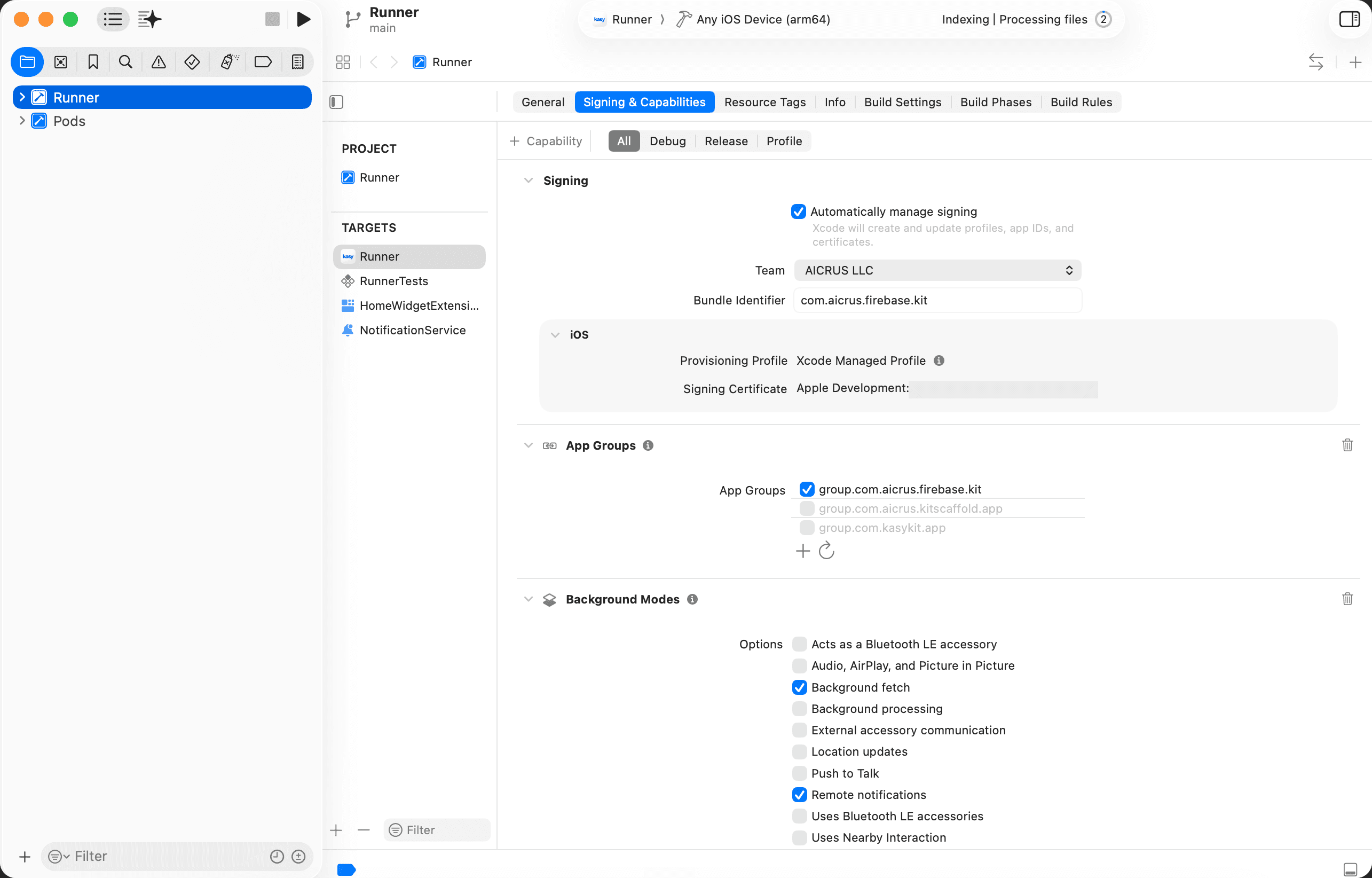
Confirm with:
kasy doctor # "Release iOS" section3. Publish each version
Via MCP: with kasy ios configure and Xcode signing already done (steps above), ask your assistant "publish iOS". It runs release_ios for you. See Kasy MCP.
kasy ios releaseThis command:
- Bumps the build number in
pubspec.yaml - Generates the IPA
- Sends it to App Store Connect (no need for Transporter)
Other options:
kasy ios build                              # only generates the IPA, doesn't send it
kasy ios release --no-bump                  # doesn't bump the build
kasy ios release --version-name 1.0.2       # changes the visible version
kasy ios clean                              # cleans the Flutter/Xcode cache after an error
Via MCP: kasy ios build and kasy ios clean also have their own tools, build_ios and clean_ios. See Kasy MCP.
Publishing with Codemagic (no Mac)
Codemagic builds and ships iOS (and Android) in the cloud. You don't need a Mac.
Requirements:
- Codemagic account
- Connected Git repository
- Apple Developer account + app in App Store Connect
1. Add CI to the project
Project created with kasy new? codemagic.yaml is already included by default (in both Quick and Step-by-step modes; in Step-by-step, CI/CD comes pre-checked in the multiselect). Only run the command below if you deselected CI/CD when creating the project, or if the project predates this option.
kasy add ciVia MCP: "add CI/CD to the project" (add_feature).
This creates codemagic.yaml with the ios-workflow and android-workflow workflows.
2. Set up in the Codemagic dashboard (once)
- Open codemagic.io/apps → connect your repository
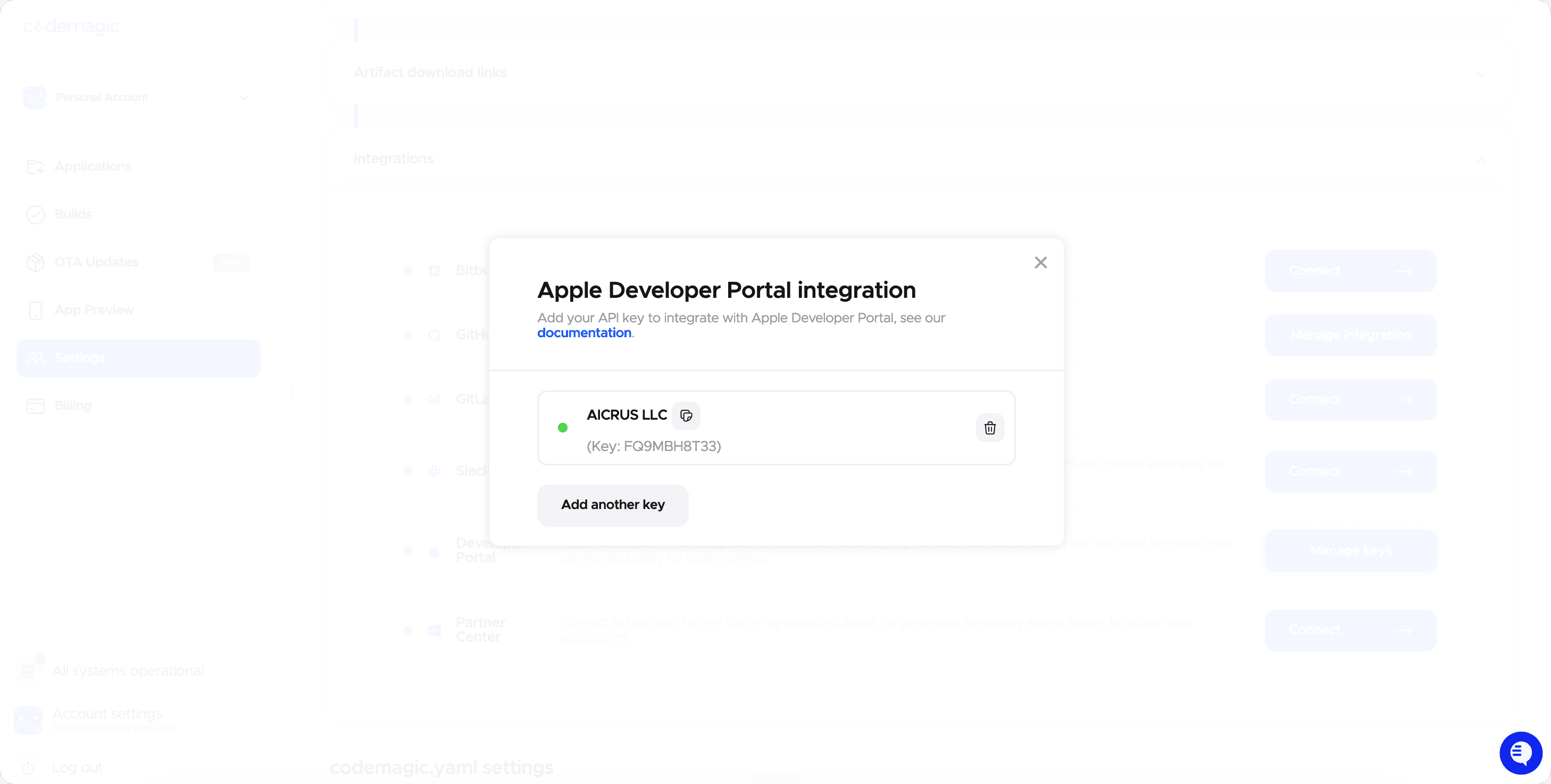
- Integrations → Developer Portal → Connect: fill in the 4 fields, same data as step 1 above:
- App Store Connect API key name: a name for you to recognize it later (e.g. your company's name)
- Issuer ID: Users and Access → Integrations → App Store Connect API
- Key ID and the .p8 file: Identifiers → Keys → create (or reuse) your API key
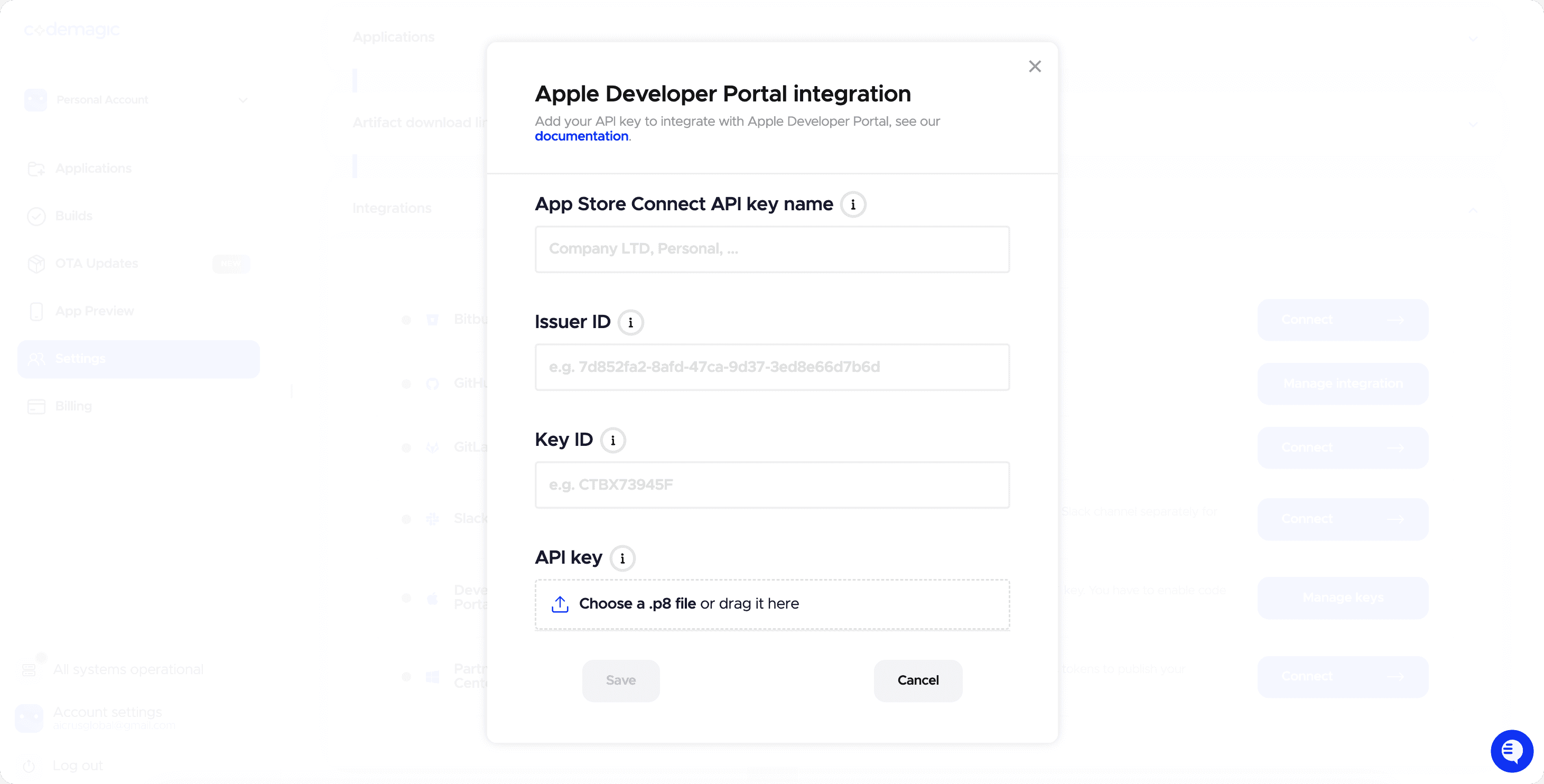
Already generated this App Store Connect API key for RevenueCat? It's the same .p8 file, no need to create another one. It works for RevenueCat, Codemagic, and for the CLI's kasy ios configure/kasy ios release, since it's always the same key type.
3. Adjust 2 fields in codemagic.yaml
The file already flags these with a <-- Put your... comment:
- Create a tester group in TestFlight (App Store Connect → your app → TestFlight → Groups) and replace
kasywith that group's name inpublishing.app_store_connect.beta_groups. Without this the build uploads, but nobody gets invited - Replace the email in
publishing.email.recipientswith yours (or delete the wholeemail:section)
4. Set up in the terminal (once)
kasy codemagic configureThe wizard opens Codemagic's API token page, validates it, and lists your apps to pick from. Saves it to .kasy/codemagic.env (gitignored).
Via MCP: this step has its own tool too, ask "configure Codemagic for this project" and the assistant runs configure_codemagic. See Kasy MCP.
5. Publish
Via MCP: with Codemagic already set up (steps above), ask your assistant "publish iOS with Codemagic". It runs codemagic_release (and can follow up with codemagic_status). See Kasy MCP.
kasy codemagic release --ios # triggers the iOS build in the cloudThe command reads the .env and carries the production keys with the trigger. The build goes to TestFlight automatically.
kasy codemagic status <buildId> # follow the statusInformation
Test before submitting
Use TestFlight to distribute to testers before submitting for App Store review.
Version vs build
- Version (e.g.,
1.0.2): what the user sees in the store. Change it when you ship new features. - Build (e.g.,
42): an internal number.kasy ios releasebumps it automatically.
Approval delay
The App Store usually approves within 24 to 48 hours. Submit ahead of time. Rejections for content or policy reasons come with a reason: fix it and resubmit.
Last updated on 08/23/2026