

Stripe (web)
Web subscriptions via Stripe Checkout + Customer Portal. From testing to production.
The Stripe module covers subscriptions on the web (when the user is in the browser or a PWA). On mobile (iOS/Android), the kit uses RevenueCat.
Mobile uses RevenueCat. You can turn on just Stripe (web app), just RevenueCat (mobile app), or both together. See RevenueCat.
Implementation
Via the Kasy MCP: ask your assistant "add stripe to my project" to turn the feature on in the code (add_feature). The Stripe MCP (below) is a different thing: it creates the product and prices in their dashboard. See Kasy MCP.
1. Create a Stripe account
Go to stripe.com and create your account.
2. Create the Product and Prices (dashboard or via MCP)
From the dashboard
- Stripe → Products → Add product
- Name / description (show up on the paywall)
- Under Pricing, add:
- A recurring monthly Price
- A recurring annual Price
- (Optional) Under the Product's Features, list the benefits, they become the paywall's bullet list
- Copy the product's
prod_…(you'll need it asSTRIPE_PRODUCT_ID)
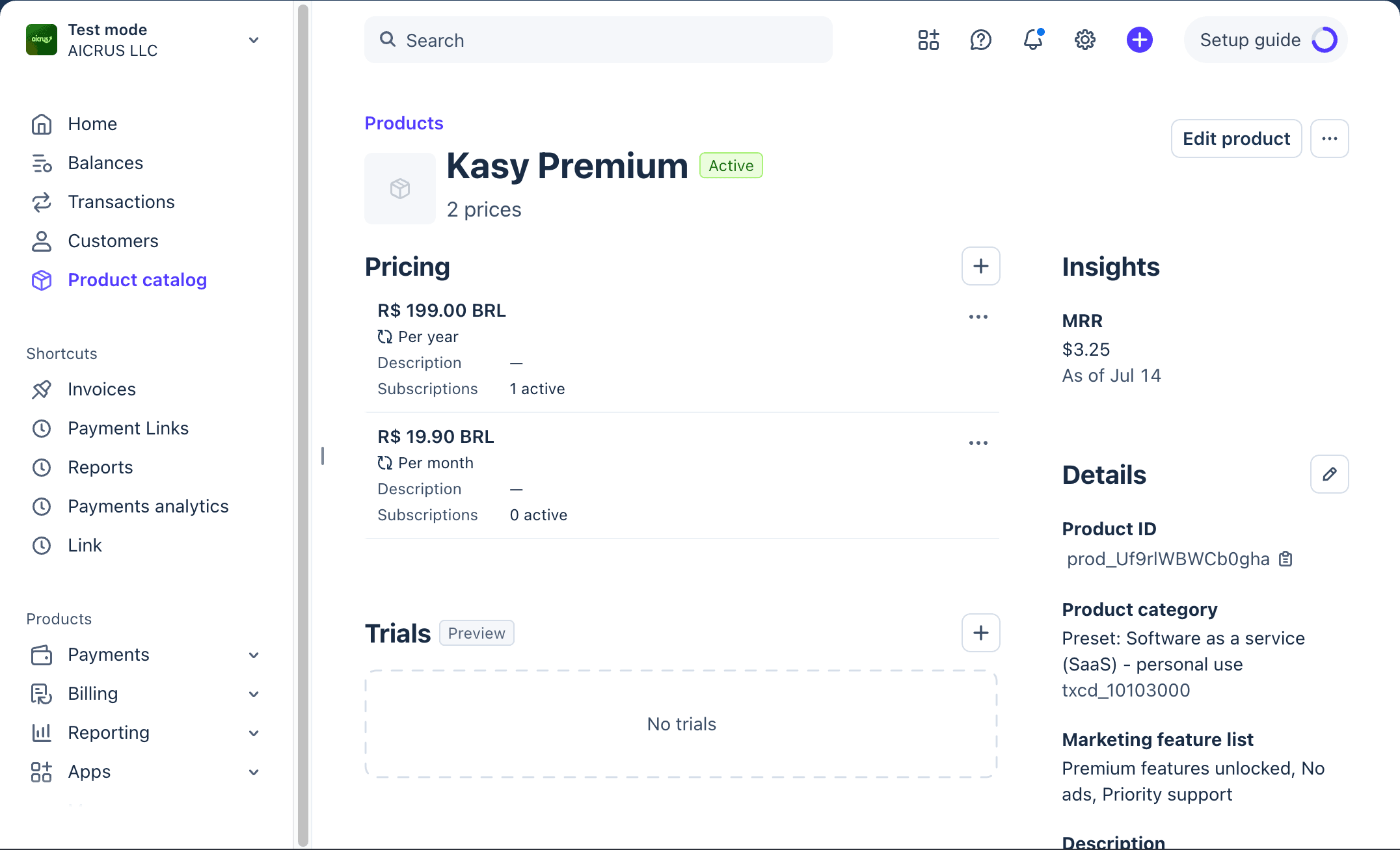
The kit only uses recurring plans (monthly/annual). Don't use one-time Prices.
Via Stripe's MCP (faster)
Prefer setting it up through AI instead of the dashboard? Follow Stripe's MCP, in the Information section below, and come back to step 3 when you're done.
3. Register the webhook
The webhook is required: it's what writes the subscription to the database.
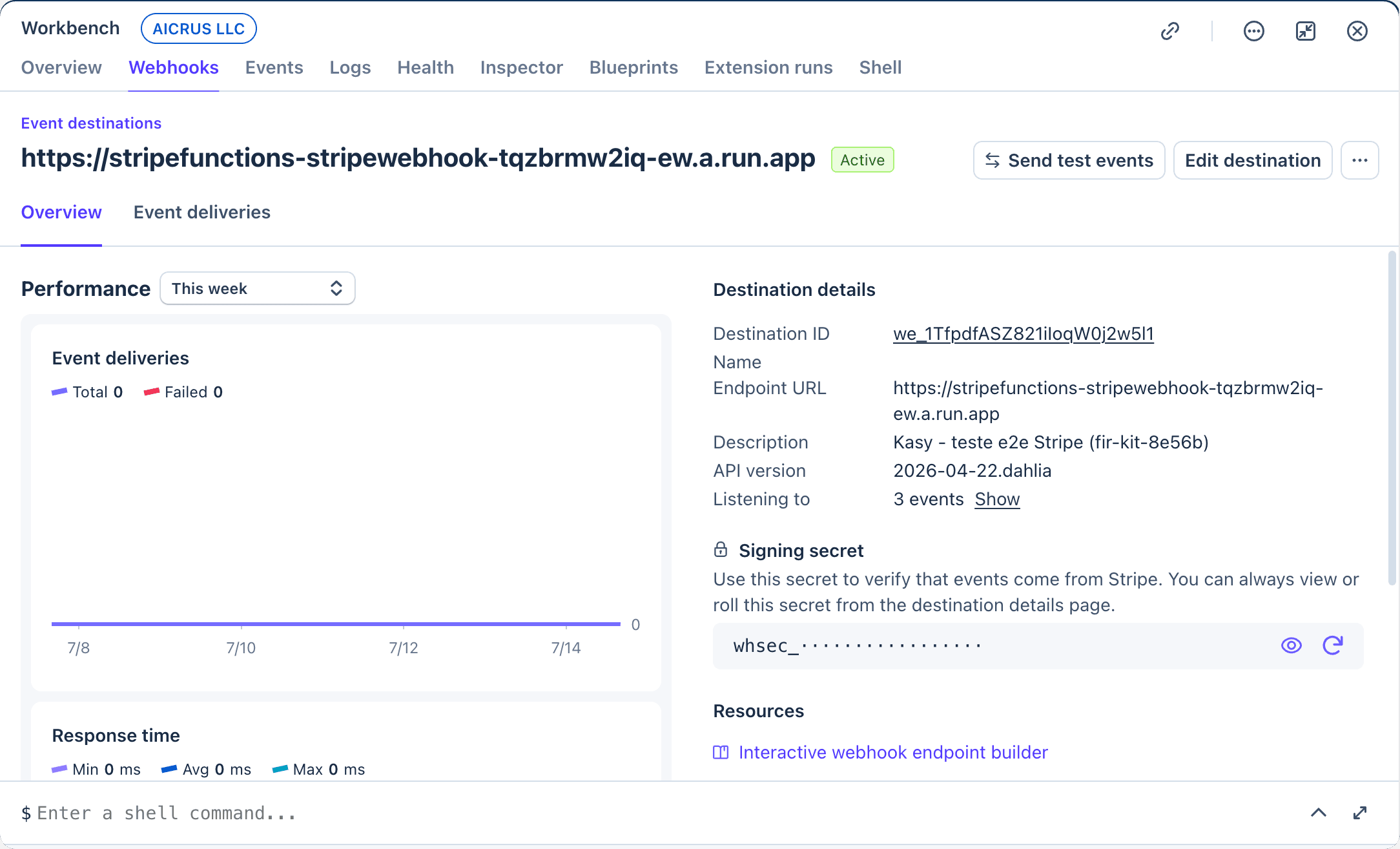
- Stripe → Webhooks → Add endpoint
- Paste your backend's webhook URL:
| Backend | URL |
|---|---|
| Firebase | https://<region>-<projectId>.cloudfunctions.net/stripeFunctions-stripeWebhook |
| Supabase | https://<project-ref>.supabase.co/functions/v1/stripe-webhook |
kasy doctor shows your project's webhook URL.
- Under Select events, check the 3 events:
customer.subscription.createdcustomer.subscription.updatedcustomer.subscription.deleted
- Save → copy the Signing secret (
whsec_...)
4. Configure the keys in the backend
You'll need 3 values:
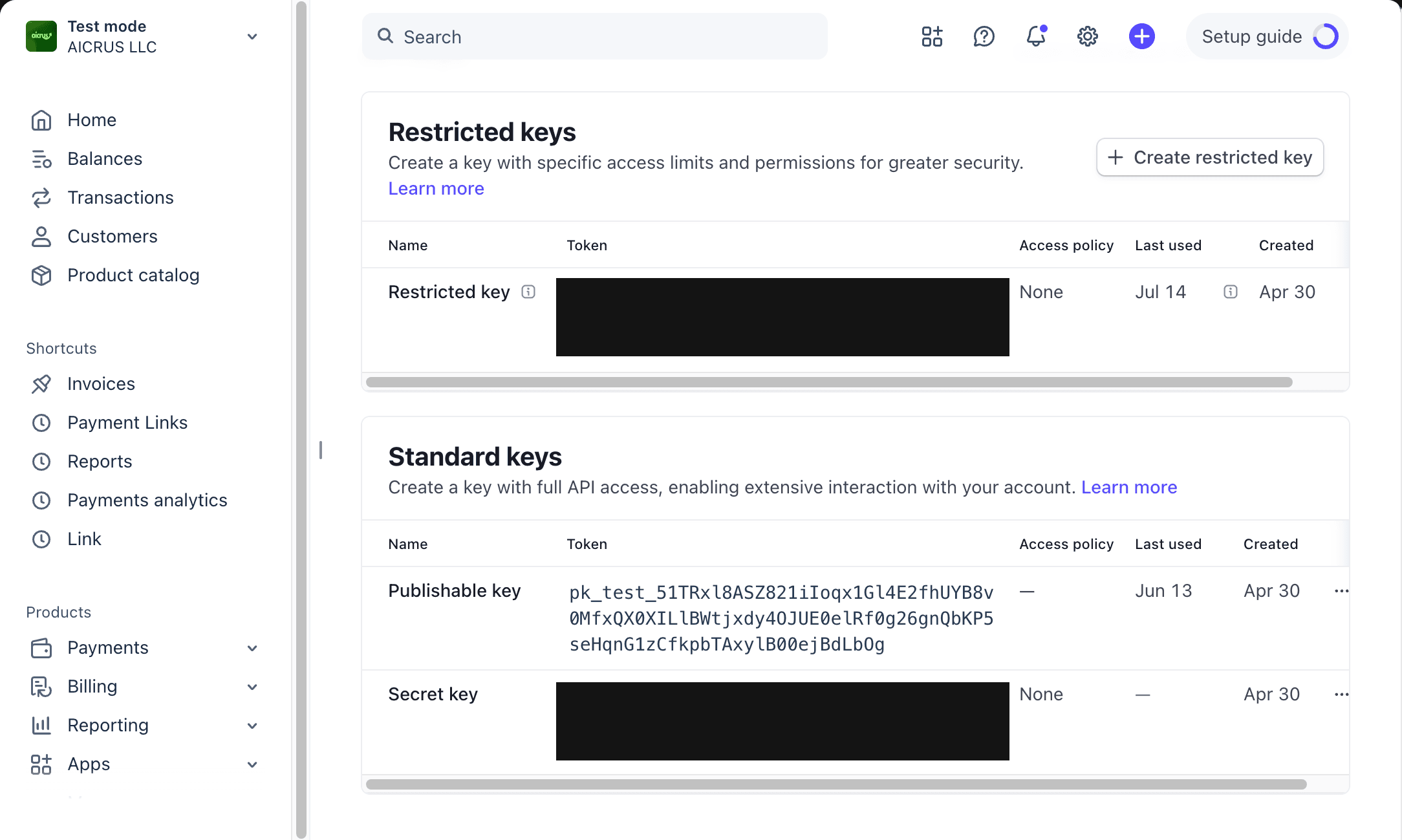
| Key | Format | Where to get it |
|---|---|---|
STRIPE_SECRET_KEY | sk_test_... / sk_live_... | Stripe → API keys |
STRIPE_WEBHOOK_SECRET | whsec_... | Stripe → Developers → Webhooks → your endpoint → Signing secret |
STRIPE_PRODUCT_ID | prod_... | From your Product (optional, blank lists all of them) |
# Firebase: configures the secrets and deploys
kasy configure stripe   # asks for the 3 keys
kasy deploy             # publishes the functions with the secrets

# Supabase: configures the secrets
supabase secrets set STRIPE_SECRET_KEY=sk_test_xxx
supabase secrets set STRIPE_WEBHOOK_SECRET=whsec_xxx
supabase secrets set STRIPE_PRODUCT_ID=prod_xxx   # optional
Via MCP: on Firebase, paste the 3 keys in chat and ask "set up Stripe". The assistant writes them with configure_project_keys (running kasy deploy to publish the functions is still a separate step). See Kasy MCP.
REST API: you implement 4 endpoints on your server:
| Endpoint | What it does |
|---|---|
GET /stripe/list-prices | Returns your account's active recurring Prices |
POST /stripe/checkout-session | Creates a Checkout session and returns { url } |
POST /stripe/portal-session | Creates a Customer Portal session and returns { url } |
POST /webhooks/stripe | Receives the 3 customer.subscription.* events and writes to subscriptions (store=STRIPE) |
STRIPE_SECRET_KEY and STRIPE_WEBHOOK_SECRET stay on your server, never in the app. The full contract (each endpoint's payload) is in the README.md generated inside your Kasy project.
5. Test it
kasy run --web # opens at localhost:5555Open the paywall → pick a plan → you land on Stripe's Checkout.
Use Stripe's test cards:
- Number:
4242 4242 4242 4242 - Expiry: any future date
- CVC: any 3 digits
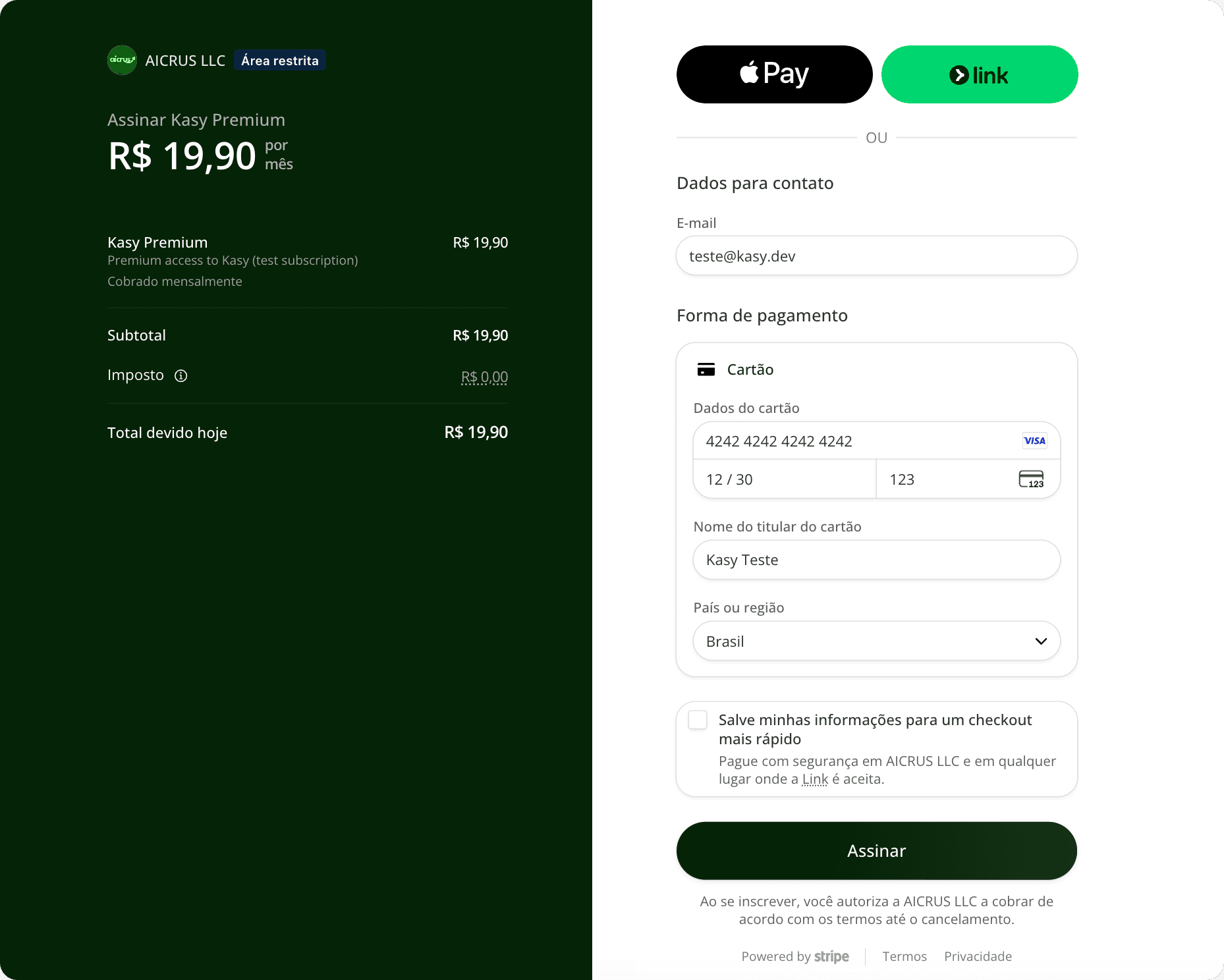
Confirm that the subscriptions table got store='STRIPE' and the app turned premium. If so, you're done with test mode.
6. Go to production
- In the Stripe dashboard, turn off Test mode (Live)
- Recreate (or activate) the Product + Prices in live
- Grab
sk_live_...and update it in the backend - Register a new webhook endpoint in live and grab the new
whsec_... - Redeploy
- Make a real validation purchase
If the real purchase turns the account premium, the implementation is complete.
Why also charge on the web. A purchase made inside the app goes through Apple or Google, and they keep a commission on every payment. The same subscription sold in the browser through Stripe carries a much smaller fee. That is why many apps keep both paths: RevenueCat on mobile and Stripe on the site.
Information
How it works
- The app calls the backend, which creates a Stripe Checkout session and returns the URL.
- The app opens that URL in the browser: all the card / PCI handling stays with Stripe.
- When the user pays, Stripe's webhook calls the backend and writes the subscription.
- The app detects the change and turns premium. The client never writes "I'm premium": it can't be faked.
The paywall's plans are fetched automatically from your Stripe account's active recurring Prices. You never type a price into the code.
What the CLI configures automatically
When you choose Stripe in kasy new or kasy add stripe:
- Turns on the
withStripeflag in the app - Embeds the payment layer (checkout, portal, price lookup)
- Installs the backend functions (Firebase Cloud Functions or Supabase Edge Functions)
- Configures per-platform injection: web uses Stripe, mobile uses RevenueCat (if enabled)
Stripe's MCP
Stripe has an MCP server that lets an AI create products, prices, and webhooks in your account, without opening the dashboard. Use it as an alternative to step 2.
Setting up the MCP
Paste this into your AI (swap in your test key):
Set up Stripe's MCP (test mode) on this machine, in Claude Code.
Use the official @stripe/mcp package via npx, with the key in the STRIPE_SECRET_KEY env var.
My test key is: sk_test_XXXXXXXX
Add an MCP server called "stripe-test" that runs:
    npx -y @stripe/mcp     (with env STRIPE_SECRET_KEY = my key above)
Do NOT use @stripe/agent-toolkit (it's a library, gives "Connection closed").
At the end, tell me to restart Claude Code.
Restart Claude Code. The MCP only loads in a new session.
Or use the official remote MCP (simpler, no key in a file):
{
  "mcpServers": {
    "stripe": { "url": "https://mcp.stripe.com" }
  }
}
Building the catalog with an AI
With the MCP connected, paste this into your AI (adjust prices and names):
With Stripe's MCP connected (test mode), create my subscription catalog:
- 1 Product "Pro" with a short description and 3 benefits (they become the paywall's list)
- 2 recurring prices: $19.90 monthly and $199 annual (currency USD)
- 7-day free trial (metadata trial_days=7 on the product)
List the active prices and give me the STRIPE_PRODUCT_ID (prod_...) to configure in the backend.
Come back to step 3 once the catalog is created.
Free trial period
The trial is read from Stripe's Price and shows up on the paywall automatically.
Two ways to configure it:
trial_daysmetadata: on the Price (or the Product), add the metadatatrial_days = 7- Native Price trial: configure the free trial directly on the Price's dashboard panel
The backend returns trialDays in listPrices, and the UI shows "7 days free" automatically.
Feature flags
In lib/core/config/features.dart:
| Flag | Default | What it does |
|---|---|---|
withStripe | none | Turns on the Stripe module |
withStripePromoCodes | true | Shows a coupon field at Checkout |
withStripePlanSwitching | true | Enables upgrade/downgrade in the Customer Portal |
How the payment works (details)
- The app creates a Checkout session → opens Stripe in a new tab
- The email comes pre-filled with the user's account email
- The app's screen waits and polls the backend every 5s
- When the person pays, the webhook writes to
subscriptions→ polling detects it → the app turns premium - Timeout: after ~10 min with no confirmation, the app goes back to the paywall with a toast "if you already paid, tap Restore"
On mobile (native), if the user subscribed via Stripe on the web, the app shows a dialog: "This subscription was made on another platform. Manage it where you bought it." This is required by Apple's and Google's policies.
Troubleshooting
Empty paywall (no plans) on the web
- There's no active recurring Price on the account
STRIPE_PRODUCT_IDpoints to a product with no recurring PricesSTRIPE_SECRET_KEYis test mode but the products are in live (or vice versa)
The webhook doesn't write the subscription
- Wrong
STRIPE_WEBHOOK_SECRETor from a different mode (test vs live) - The 3
customer.subscription.*events weren't selected on the endpoint - On Firebase: missing the deploy after configuring the secrets
Premium doesn't activate even after paying
- Check whether the webhook arrived: Stripe → Developers → Webhooks → endpoint logs
- Check whether the
uidin the metadata matches the logged-in user
"No Stripe customer for user" when opening the Portal
- The user hasn't gone through Checkout yet. The Portal only works after the first subscription.
Last updated on 08/23/2026