

Home Screen Widget
Add a widget to the iOS and Android home screen. All the native plumbing already ships ready.
A home screen widget (the one users place next to their icons) on both systems. All the native part already ships in the project: the Xcode target, Kotlin Glance, entitlements, App Group.
Implementation
Via MCP: ask your assistant "add widget to my project". It runs add_feature for you. See Kasy MCP.
-
Run:
kasy add widget -
Customize the displayed data by editing the
update()method inlib/core/home_widgets/home_widget_mywidget_service.dart:- In
update(), save the fields viaHomeWidget.saveWidgetData('key', 'value') - On iOS: read them with
UserDefaults(suiteName: appGroupId)and render with SwiftUI - On Android: read them with
currentState.preferences.getString('key', 'default')and render with Glance Compose
- In
-
On iOS, confirm the App Group (
group.<your-bundle-id>) exists on your Apple account. Xcode with automatic signing creates it on its own on the first build. If it fails:- developer.apple.com → Identifiers
- Register
group.<your-bundle-id>(e.g.,group.com.example.myapp) - Enable it on both App IDs: the main app and
<bundle-id>.HomeWidgetExtension - Regenerate the profiles in Xcode
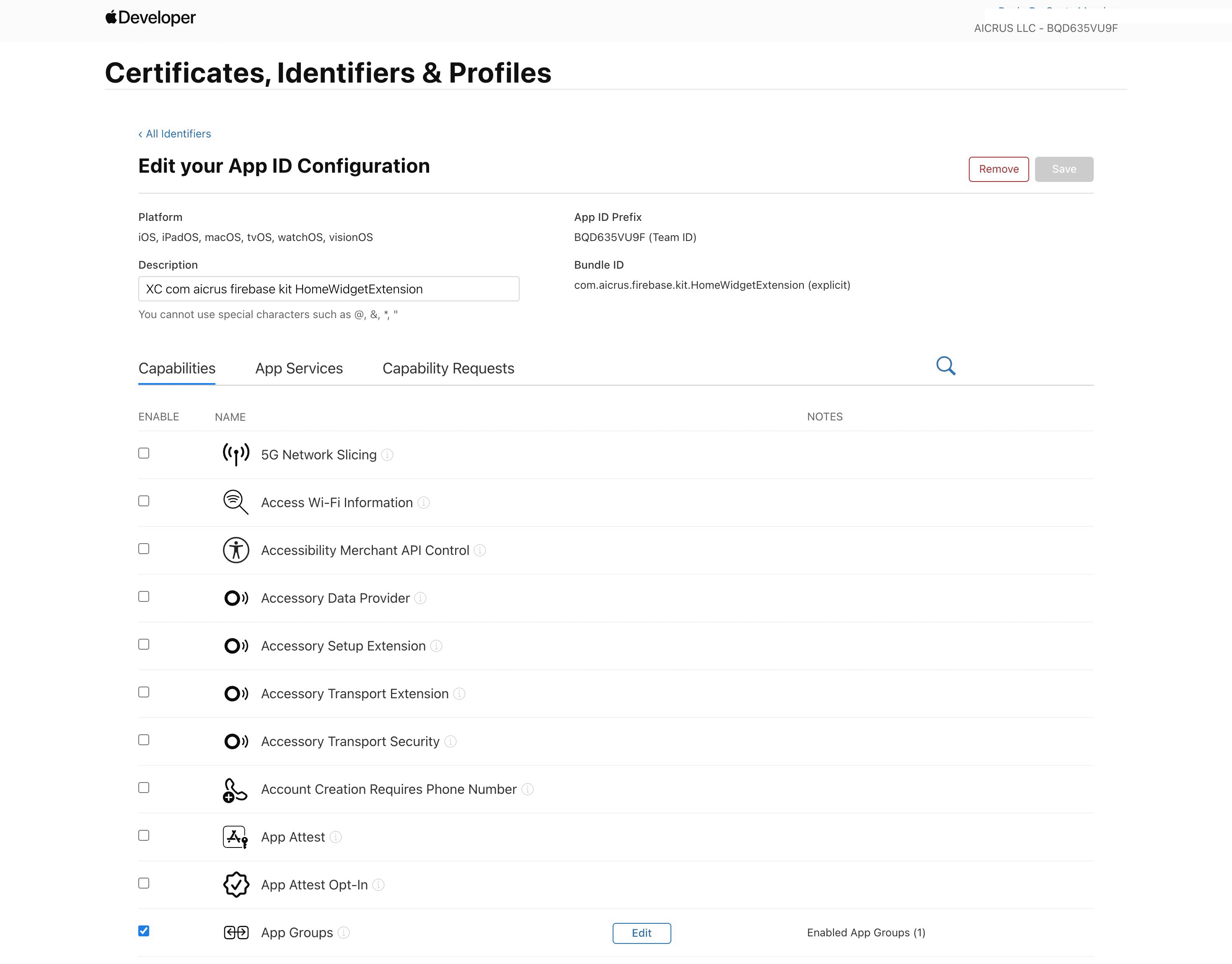
developer.apple.com: App Groups capability enabled on the HomeWidgetExtension App ID On Android there's no extra configuration needed: it works on the emulator and physical devices out of the box.
Information
What already comes ready
| Part | iOS | Android |
|---|---|---|
Dependencies (home_widget, background_fetch) | Yes | Yes |
| Dart code (initialization, background task) | Yes | Yes |
| Swift Widget Extension + Xcode target | Yes | No |
| Entitlements with App Group | Yes | No |
MyWidget.kt (Glance) + receiver | No | Yes |
Registration in AndroidManifest.xml | No | Yes |
| Bundle ID replaced automatically | Yes | Yes |
Default content
The delivered widget shows two fields as an example:
title: e.g."Hi, {userId}"counter: a number or short text, defaults to"0"
Customizing
| Layer | File | IDE |
|---|---|---|
| Data (what to send) | home_widget_mywidget_service.dart → update() | VS Code |
| iOS visuals | ios/HomeWidgetExtension/MyWidget.swift | Xcode |
| Android visuals | android/.../MyWidget.kt | Android Studio |
How the widget updates
background_fetch runs roughly every ~15 minutes even with the app closed. It calls MyWidgetHomeWidget.update(), which saves the data and tells the system to redraw.
To force a manual update during development: Admin Console → Tools → Update MyWidget.
On the iOS simulator you can test layout and data. Background updates and taps are inconsistent in the simulator: use a physical device for real behavior.
Last updated on 08/23/2026